Getaway Crew Controls
Practical PC and mobile habits for the bank job, the chase, and reading the HUD under pressure.
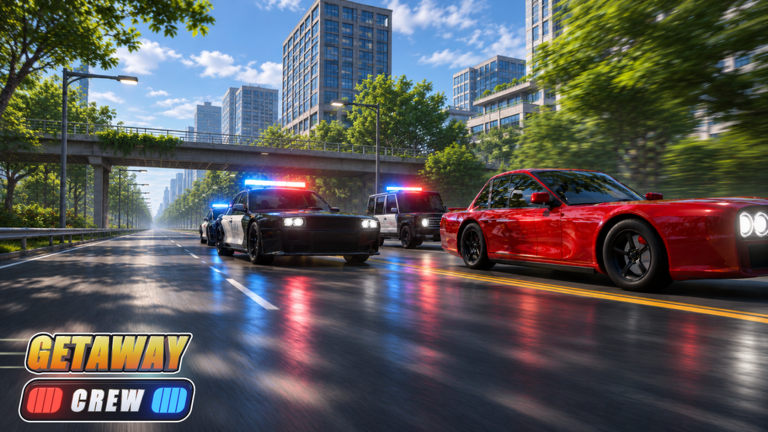
Getaway Crew controls are less about memorizing a secret keybind sheet and more about staying calm with Roblox defaults, a readable HUD, and a camera you trust while fleeing to the criminal base. This Roblox bank-heist experience by cc softworks (group 33007179) still shows live titles like [UPD 3] Getaway Crew — including late-November 2026 hotfixes under UPD 3, not a separate UPD 4 banner. Visits sit near the high hundreds of thousands; the loop still rewards players who can steer, look, and leave without fighting their own inputs.
This page stays honest: we do not invent unverified custom key tables. Use Roblox’s standard movement and camera, learn what the game HUD is telling you, and build habits that survive both keyboard/mouse and mobile touch. Pair this with Getting Started, escape tips, and beginner mistakes so controls practice ties to real runs.
What “controls” means in a heist + chase game
Every successful Getaway Crew session has two control moods:
- Job phase — careful movement around the bank, interacting with the score, staging the leave.
- Chase phase — continuous steering under timer and pursuit pressure until you hit the criminal base.
Players who treat both phases the same way either creep too slowly on the street or thrash the stick during the job. Decide which mood you are in before you commit the next input.
You can play solo or with a partner. Controls do not change that rule — communication does. If two people fight the wheel, no bind layout will save the run.
PC: keyboard, mouse, and Roblox defaults
On PC, expect the familiar Roblox baseline: WASD-style movement (or your remapped equivalents in Roblox settings), mouse look, and standard jump/interact bindings you already use in other experiences. Getaway Crew does not require you to invent a new muscle-memory language on day one.
Practical PC habits that matter more than trivia:
- Settle sensitivity before the heist. Mid-chase mouse panic is a self-bust.
- Keep one hand ready for camera resets when the view drifts during a hard turn.
- Do not mash opposite directions when you overshoot a corner — ease, then correct.
- Park your cursor expectations. If you are used to click-to-move games, force yourself into continuous drive focus once the getaway starts.
- Use Roblox’s own settings panel if a default feels wrong. Prefer small changes you can reverse after one practice run.
If a creator update adds a temporary on-screen prompt, trust the prompt over a wiki guess. When something is not labeled in-game, treat it as a Roblox default rather than a mythical Getaway Crew-only hotkey.
Mobile and touch: surviving without a keyboard
Mobile players finish Getaway Crew every day. The cost is thumb clutter. Build a touch plan:
- Thumb zones: decide which thumb owns steering/virtual stick and which owns camera or secondary taps before the alarm.
- Avoid mid-chase UI tourism. Opening menus or hunting the code box while sirens are active is how clean banks become empty wallets.
- Prefer larger gesture arcs over twitch micro-flicks when the car is already fast — tiny corrections stack into spins.
- Sit or brace the device. Chase vibration plus a loose grip equals wall contact.
- Graphics still matter on phones. If the device can hold quality 5+, use it; muddy chases hide curb edges that PC players see for free.
Duo on mobile works when roles are locked early: one person drives, the other watches pressure and callouts. Fighting for the same on-screen controls is worse than playing solo.
HUD literacy: the real “advanced controls”
Most failed runs are HUD ignorance, not bad fingers. Learn these elements by name:
Timer pressure
The session clock (and any chase-related pressure the UI surfaces) is your honesty meter. If you leave the bank late, the street must be cleaner — not flashier. Glance at time on straights, not in the apex of a turn.
Enter a code box (bottom of screen)
The Enter a code field lives toward the bottom of the screen. Use it in lobby calm, not mid-pursuit. As of late November 2026 there are 0 active codes; expired examples include MORECARS?, UPD3SOON, FIXED!, and SORRYFORBUGS. Check the Codes Hub and the step-by-step how to redeem page before typing anything. Case and punctuation matter when a live string returns.
Chase / pursuit feedback
When authorities apply pressure, the HUD and world both scream at you. Your job is to reduce inputs, not multiply them. Read pursuit as a reason to execute a practiced line from escape tips, not as a license to invent alley miracles.
Camera
Camera is a control surface. If the view is behind the wrong shoulder or zoomed into chaos, you will steer into furniture you “didn’t see.” Reset camera on the first calm straight after the bank leave. Never zoom-fight while turning into the criminal-base mouth.
Graphics quality 5+
cc softworks recommends graphics quality 5 or higher. That recommendation is a control upgrade: clearer geometry, clearer pursuit angles, clearer braking points. Low settings make skilled hands look unlucky.
Heist-phase control checklist
Before you trip the loud part of the job:
- Confirm graphics 5+ and a stable camera.
- Know where the code box is so you are not hunting UI later.
- Agree (even solo) on the first street direction after exit — see the heist walkthrough.
- If duo, lock driver vs robber so only one person owns drive inputs (Players Hub).
- Warm your steering with a short empty roll if the lobby allows — cold hands spin warm cars.
During the job, favor deliberate movement over sprint-everywhere panic. The score only counts if the getaway finishes.
Chase-phase control checklist
- One plan, fewer inputs. Drive the line you named in advance.
- Brake before the turn, not inside it. Panic mid-corner braking causes spins that no bind remap fixes.
- Look where you want to go. Camera follows intention; intention follows the criminal base.
- Ignore cosmetic flex. Neon does not steer.
- After a bust, write the input fault (“overcorrected left,” “camera drift”) before blaming the car. Garage fixes live in car upgrades and cash farming when the chassis truly is the bottleneck.
Practice drills that beat bind myths
Spend ten minutes on drills instead of hunting unverified key lists:
- Empty primary route at chase speed with calm camera.
- Empty backup route so your hands know the alternate without debate.
- Arrival-only reps at the criminal-base approach until parking feels boring.
- Mobile-only or PC-only blocks if you switch devices — do not mix muscle memory in one tilted night.
Three clean arrivals teach more than thirty forum arguments about “secret keys.”
Common control failures (and the fix)
| Failure | Likely cause | Fix |
|---|---|---|
| Spin on base approach | Late steering + camera drift | Earlier brake, reset camera, handling spend |
| Wall on first street | No exit plan | Name the corridor pre-alarm |
| Duo chaos | Two drivers | Lock roles before the job |
| “Random” misses | Graphics too low | Quality 5+ |
| Code rage mid-run | UI tourism under sirens | Redeem in calm; codes often empty anyway |
Deeper trap context sits in beginner mistakes.
How controls connect to the rest of the wiki
- First-hour setup: Getting Started
- Loop timing: Heist walkthrough
- Chase habits: Escape tips
- Wallet when codes are dry: Cash farming
- Redeem UI detail: How to redeem
- Risk note if someone pushes executors day one: Scripts
Bottom line
Master Getaway Crew controls by mastering defaults + HUD + camera + calm. Do not wait for an unverifiable keybind bible. Raise graphics, learn the bottom code box for quiet moments, drive practiced lines under chase pressure, and finish at the criminal base with boring hands. That is the control skill the UPD 3-era garage and heist loop actually reward.
Frequently Asked Questions
Quick answers to the most common Getaway Crew questions.
What are the controls for Getaway Crew on PC?
Use standard Roblox movement and camera defaults (WASD-style move, mouse look, usual jump/interact). Focus on sensitivity, camera resets, and calm chase inputs rather than hunting unverified custom key tables.
Can I play Getaway Crew on mobile?
Yes. Plan thumb roles before the heist, avoid opening UI mid-chase, keep graphics as high as the device allows (ideally 5+), and lock a single driver in duo sessions.
Where is the code box in Getaway Crew?
The Enter a code field is toward the bottom of the screen. Redeem in calm moments — there are often zero active codes, so check the Codes Hub before typing expired strings.
Why does graphics quality matter for controls?
Quality 5+ makes corners, pursuit angles, and braking points readable. Low graphics hide the information your steering needs, so skilled inputs still miss.